How it works
Two journeys, one platform
Senrub Insights turns raw IT spend into board ready decisions, and Senrub Contracts takes every agreement from upload to signature to renewal. Both share the same workspace, users and data.
Senrub Insights
The spend analytics journey
From raw numbers to benchmarked, AI explained savings you can act on.
Step 1
Bring your spend in
Enter IT spend by category or upload a spreadsheet. No data yet? Explore the live demo with a fixed sample dataset in one click.
Step 2
Benchmark it
Senrub compares your spend to peers by category and as a percentage of revenue, so you immediately see where you're over or under invested.
Step 3
Load contracts & vendors
Upload agreements and AI extracts SLAs, obligations, renewals and meeting requirements. Reconcile spend to contracts and set vendor performance measures.
Step 4
Let AI explain it
Get clear insights across spend, contracts and vendors — the narrative behind the numbers, ready for a board pack.
Step 5
Act on savings & score vendors
See recoverable savings split into actionable now vs locked until renewal, score each vendor, and export a branded scorecard PDF.
Senrub Contracts
The contract approval journey
From a PDF in your inbox to a signed, tracked agreement and a vendor you can score.
Step 1
Upload the contract
Drop in a PDF or Word agreement, pick the department and state the business purpose. The file is stored securely against your workspace.
Step 2
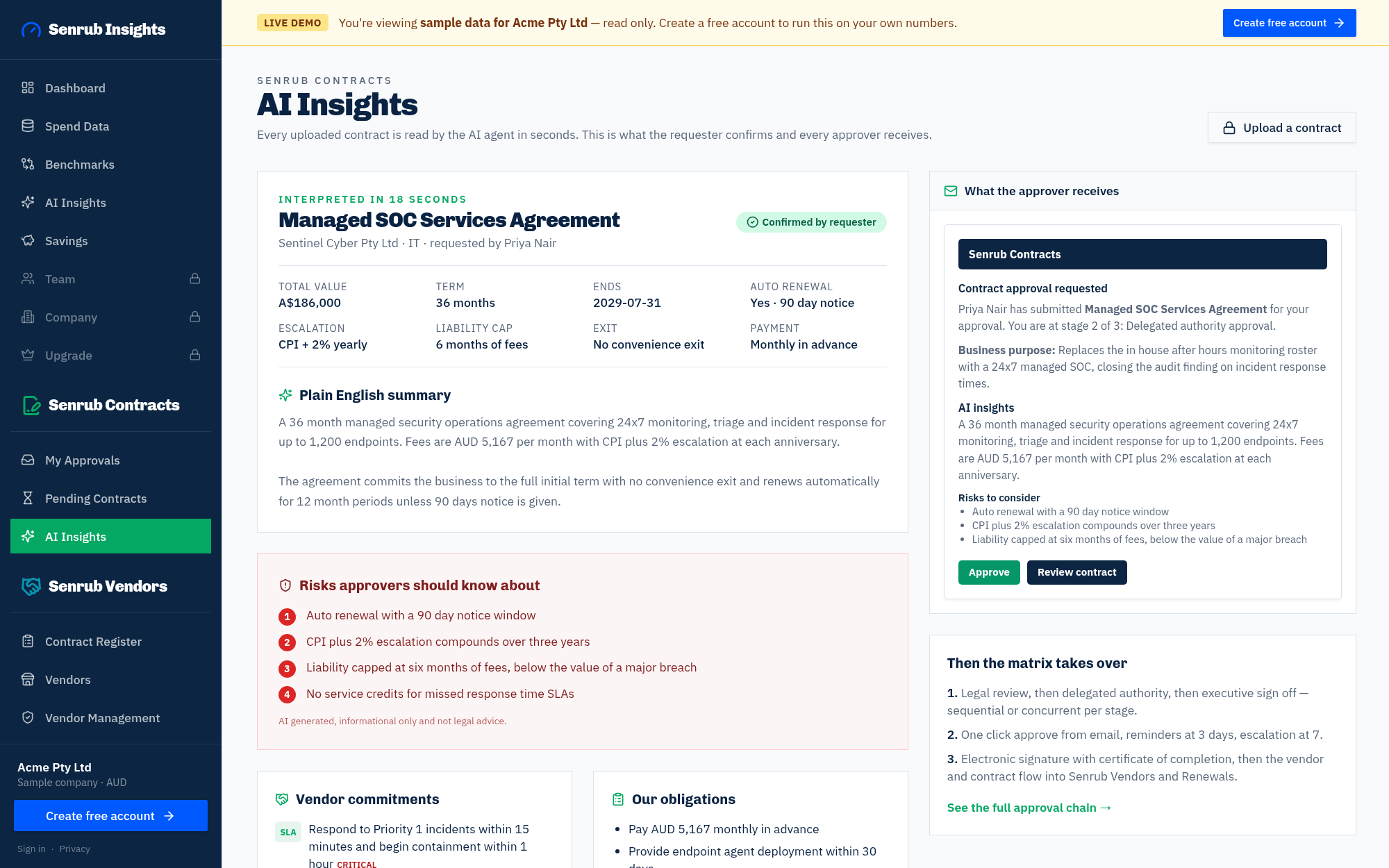
AI reads it for you
Value, term, renewal traps, notice period, liability cap, risks and the vendor's measurable commitments extracted in seconds. The requester confirms or corrects them.
Step 3
Route through your approval matrix
Choose your own approvers by stage, then Legal, delegated authority limits and an Executive final stage apply automatically from your Approval Matrix.
Step 4
One click approvals
Approvers get the AI insights in their email and approve or reject in one click. A reminder goes out after 3 days and the requester is alerted after 7.
Step 5
Sign electronically
Send the approved contract to internal and external signers. Each signer types their name, and Senrub stamps the document and issues a signing certificate.
Step 6
Never miss a renewal
Signed contracts appear on Renewals with notice deadlines and auto renew flags, with alerts at 90, 60 and 30 days. Mark renew, renegotiate or terminate.
Step 7
Vendor created automatically
The approved contract lands in the Contract Register and the vendor is set up with performance measures prefilled from its commitments, ready to score.